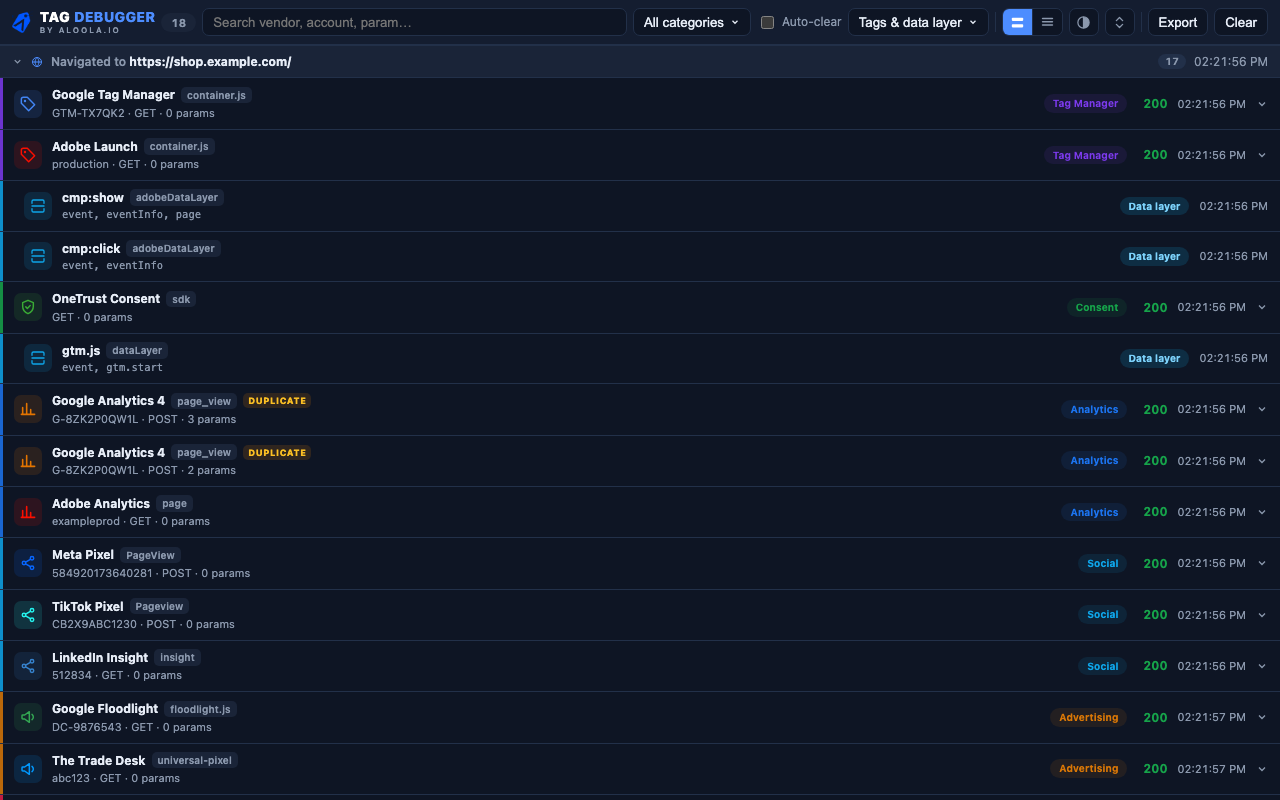
Tag Debugger Panel

Three things it catches before your reports do

The failures that are invisible in a network tab and expensive in a dashboard.

Duplicate tags

The same event fired twice because it is implemented twice — once hardcoded, once through the tag manager. The most common reason two systems disagree on the same number.

Personal data in payloads

Emails, phone numbers and card numbers found inside outgoing tags. Values are masked on screen — the extension never displays the raw data it detects.

Events on the wrong trigger

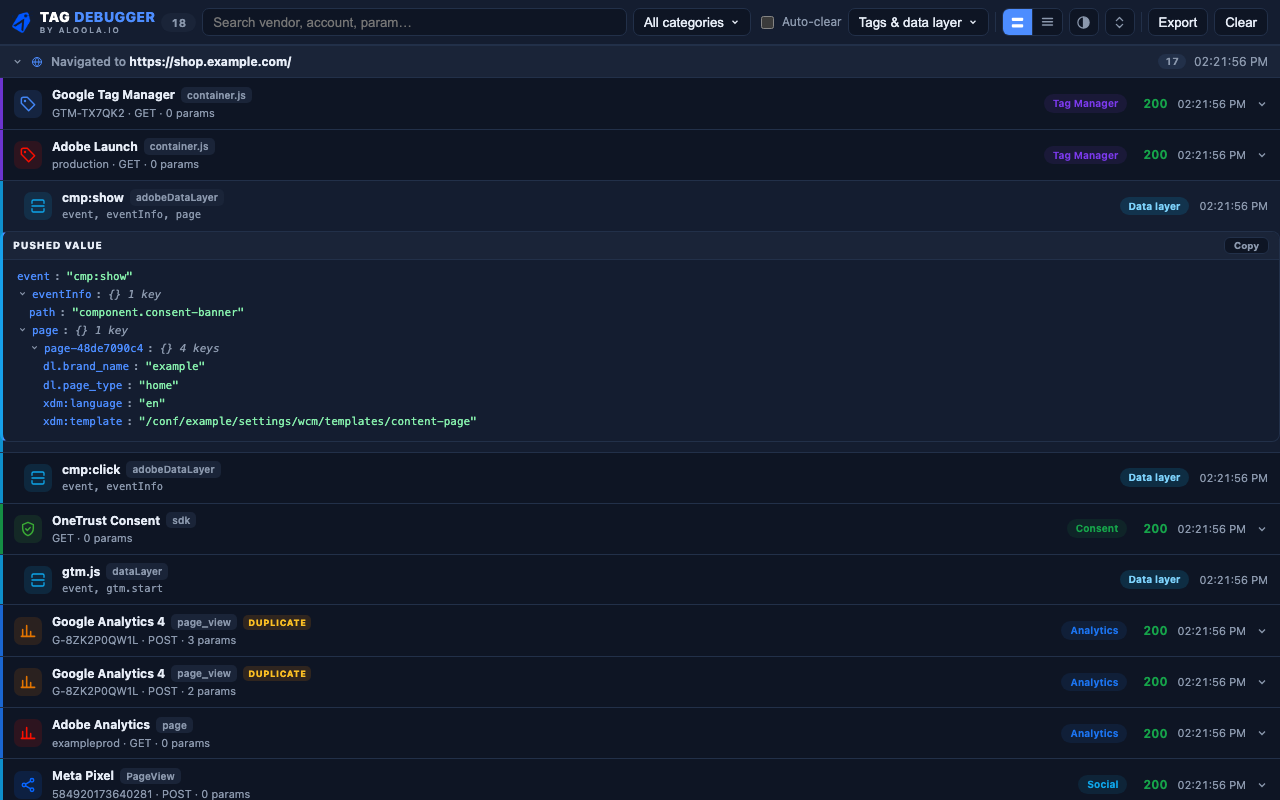
The data layer push and the tag it caused, in sequence — so you can see whether the layer was wrong or the rule was.

Tag Debugger DataLayer
Adobe Experience Platform Web SDK

Read the XDM, not the endpoint

Every Web SDK call is POST /ee/v1/interact — a page view, a personalization request and an identity fetch are indistinguishable until you expand the payload and read JSON.

  • Each call named by its XDM event — Page View, Purchase, Proposition Display — instead of the verb it posted to.
  • The datastream ID on every hit, so a call reaching the wrong config is visible rather than assumed.
  • Batched events counted, not hidden — three events in one request reads as Page View +2.
  • Identity calls told apart from events, so an ECID fetch is never mistaken for a page view.
Migration & CJA

CJA can only report what the Web SDK sent

A mistyped XDM field, an event firing twice, a rule matching too loosely — none of it is fixable downstream. It is fixable here, before it becomes a dataset.

And mid-migration, AppMeasurement hits and Web SDK calls appear side by side on the same timeline, so you can compare what each one sent from a single page load.

Legacy /b/ss/exampleprod  ·  page
Web SDK Page View datastream 7e631004

The same page load, both implementations, one timeline.

Built by people who do this for a living

Aloola is an official Adobe Solutions Partner and a Tealium partner. We build and audit analytics implementations for enterprise teams. We built Tag Debugger because we needed it — if it turns something up on your site that you would like a second opinion on, we are happy to look.

Schedule a free consultation

Tag Debugger reads network requests on pages you have open, in your browser, so it can identify tags. It sends nothing anywhere, has no account, and writes nothing to disk. Detected personal data is masked before it is displayed. Read the privacy policy